
State Agency Phone Numbers & Communications Directory
NetWork Kansas
Kansas Department of Revenue Tax Payer Assistance
- Phone: (785) 368-8222
Kansas Department of Revenue Driver Control
- Phone: (785)296-3671
- E-mail: kdor_dc@ks.gov
Ask a Librarian
- Phone: (800) 432-3919 or (785) 296-2149
- E-mail: infodesk@ks.gov
What is KanAccess?
KanAccess is a tool designed to provide users with the ability to use one set of credentials to access any number of eGovernment services in Kansas.
How do I link KanAccess with my Kansas.gov Subscriber Account?
Instructions for Creating a KanAccess Account
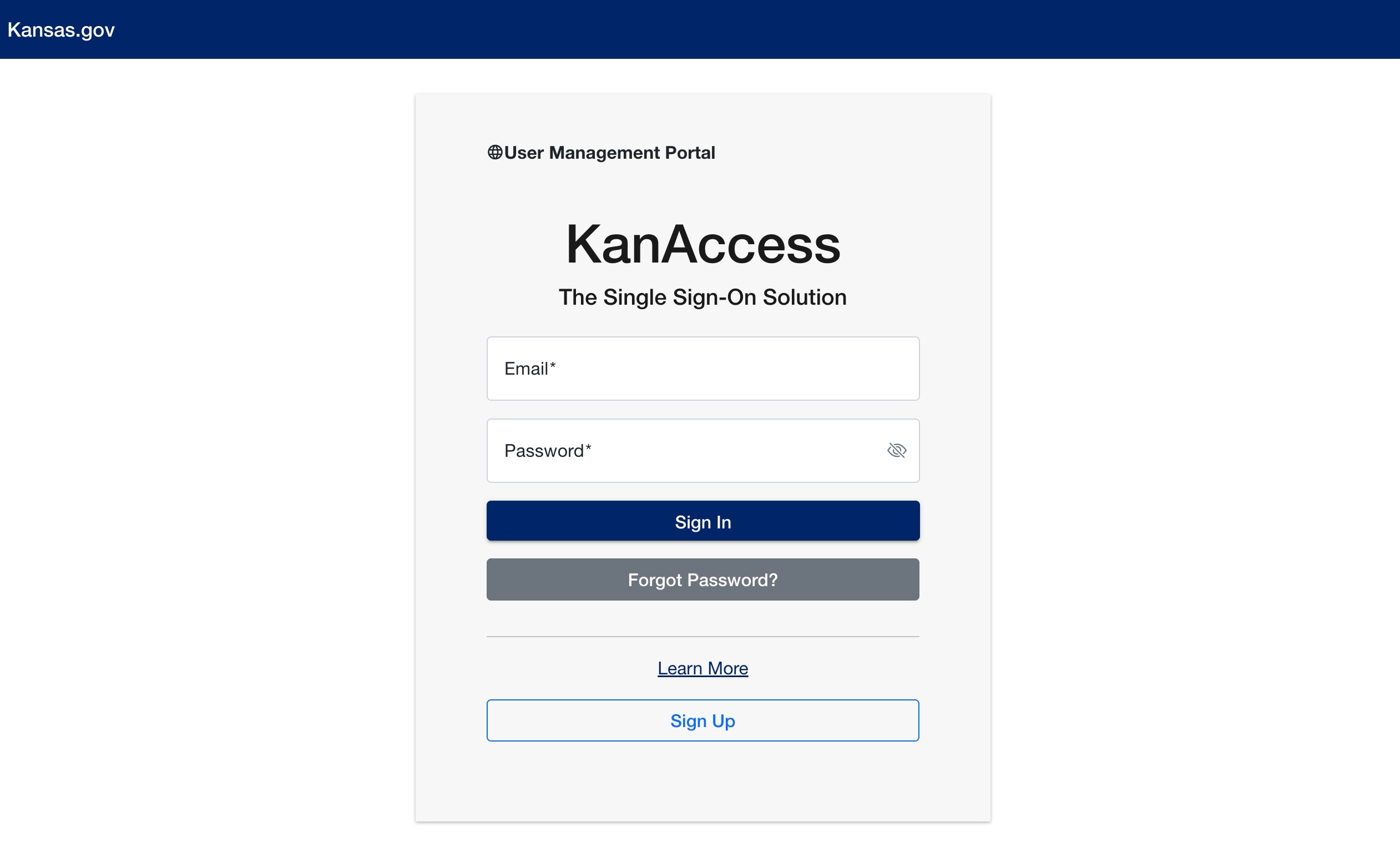
How do I Sign Up?
Most applications using KanAccess will have a “Start” or “Begin” button on the front page.
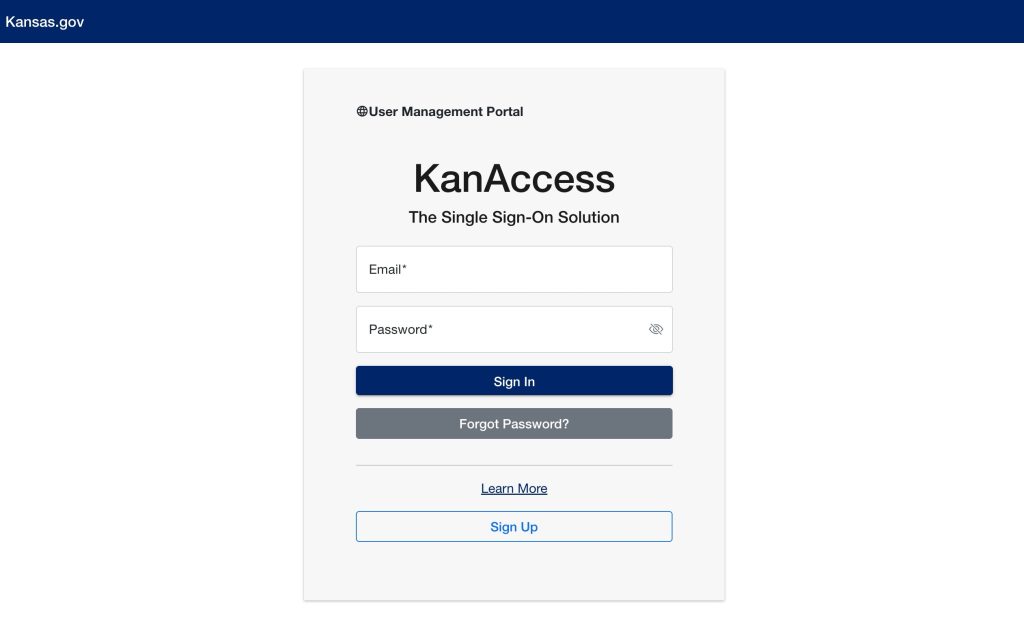
- Once you’ve selected to “Start” or “Begin” the application, you will be directed to KanAccess.
- Click on the Sign Up button to continue.
- Complete the Sign Up page.
- If you have a Kansas.gov Subscriber Account, and you wish to access subscriber-only applications, select the checkbox indicating you are also a Kansas.gov Subscriber.
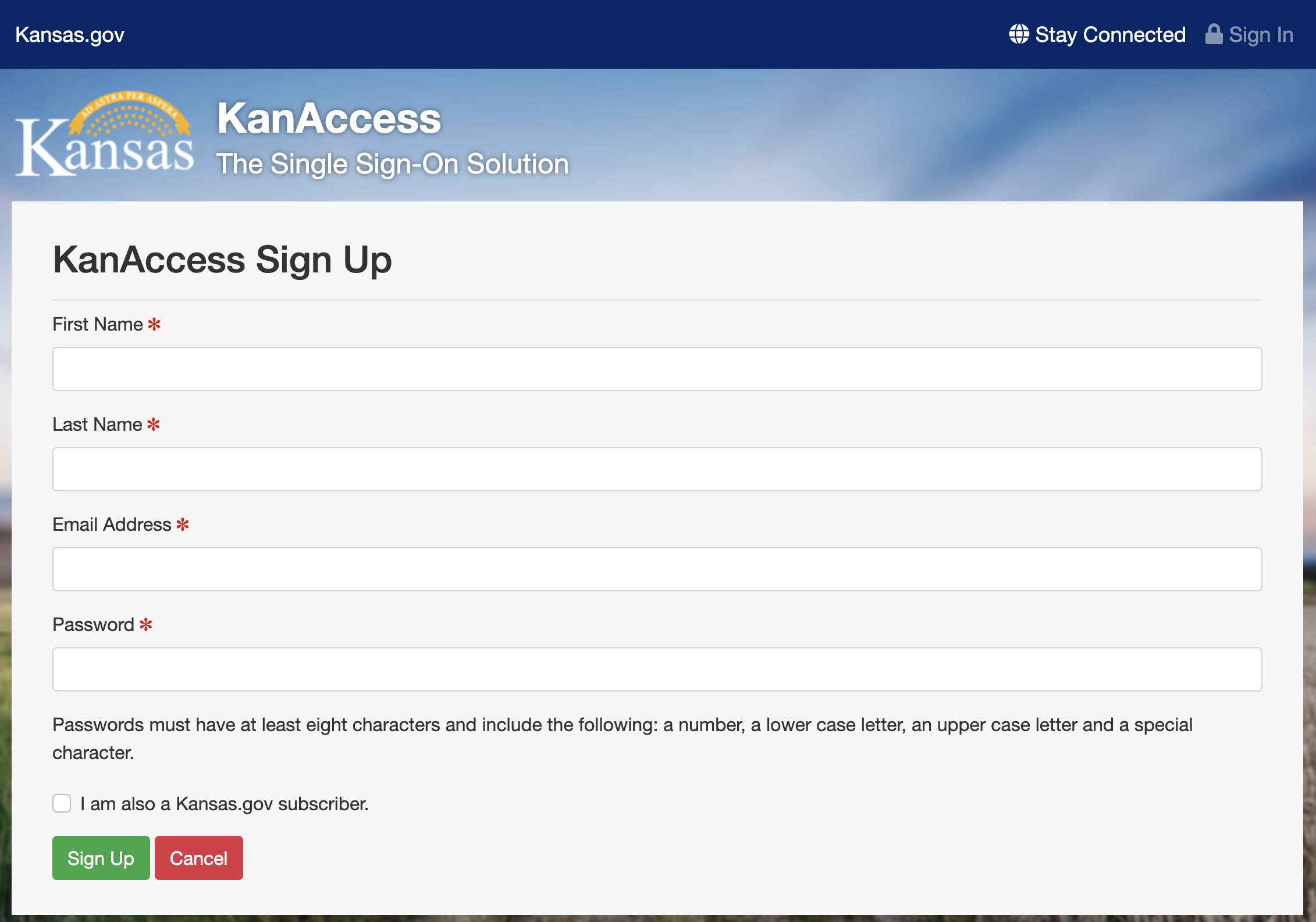
- Select Sign Up to continue.
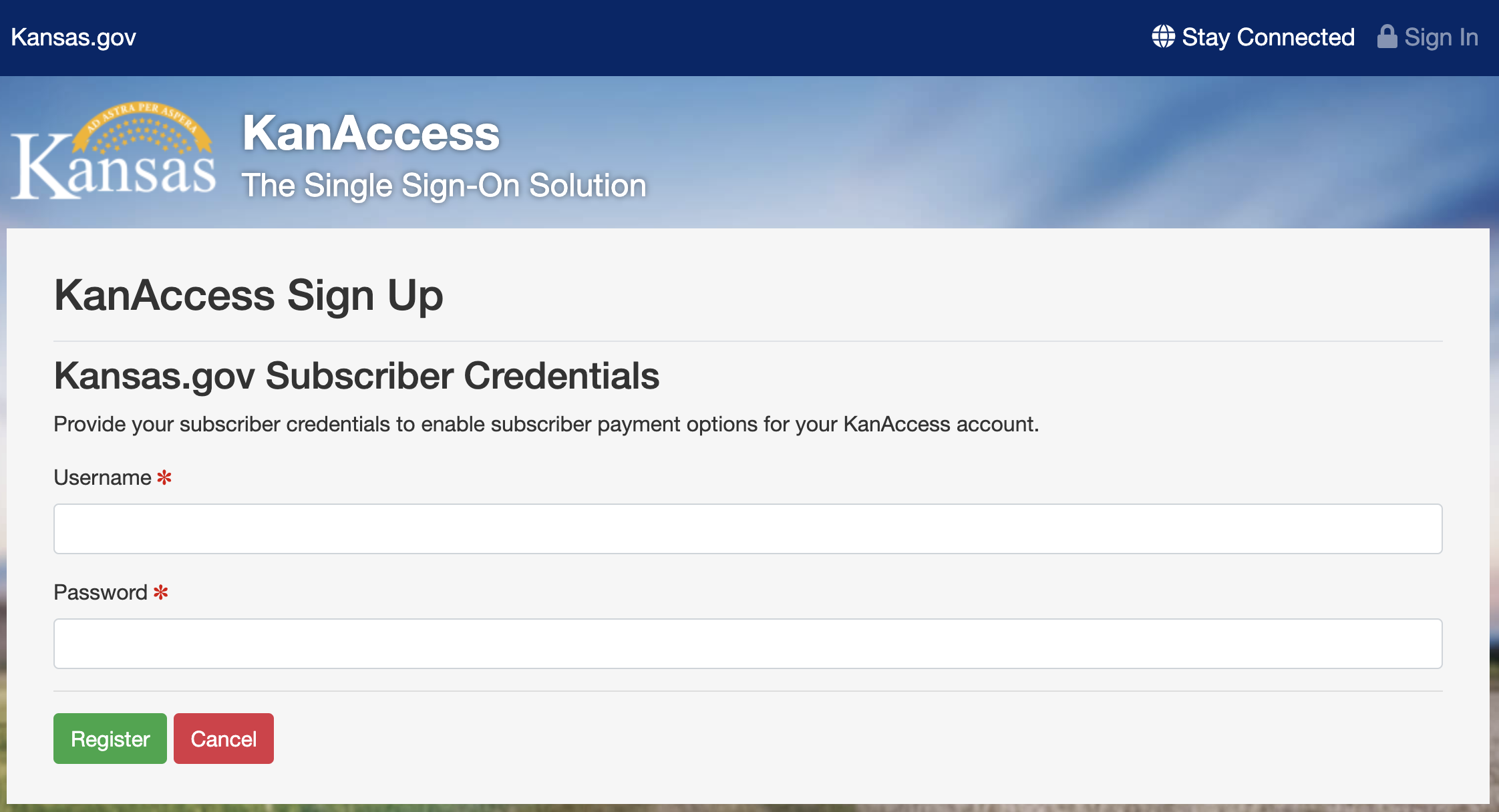
- Enter your Kansas.gov subscriber credentials and click sign up.
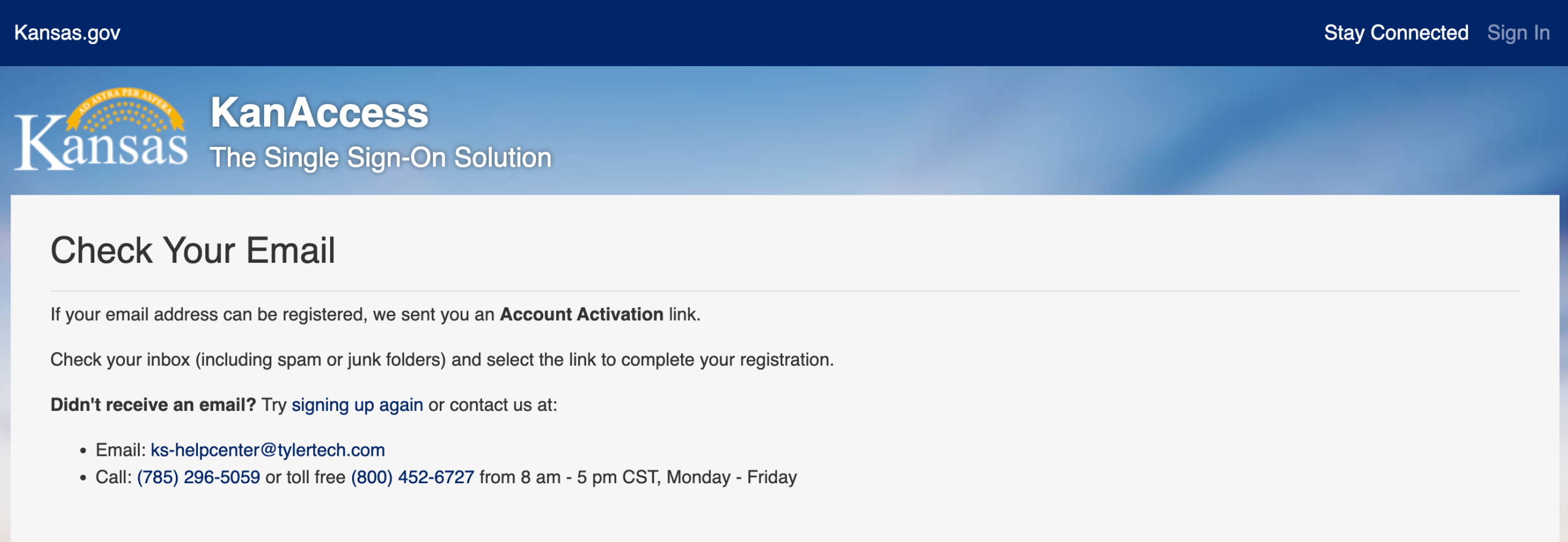
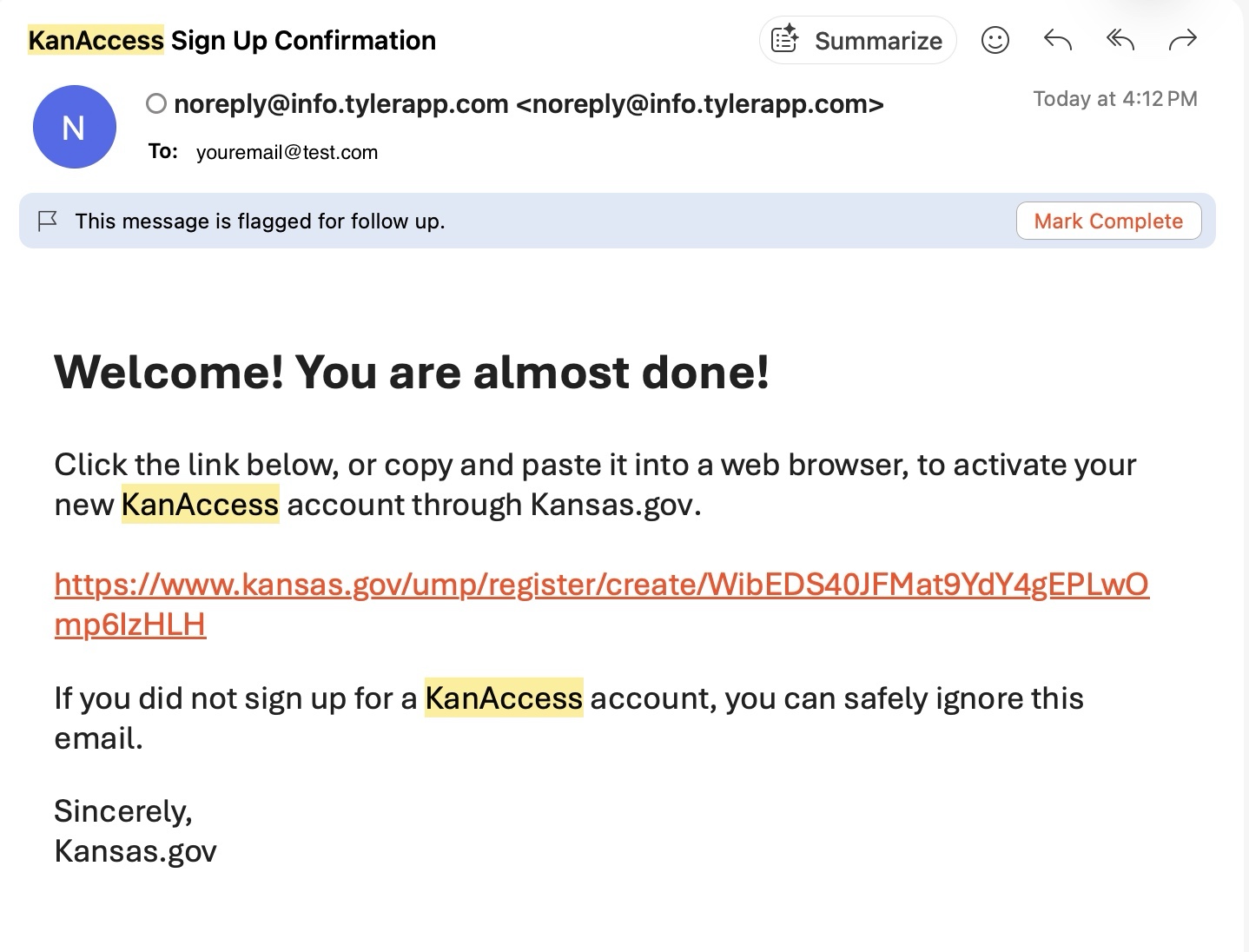
- An email confirmation will be sent to the email provided.
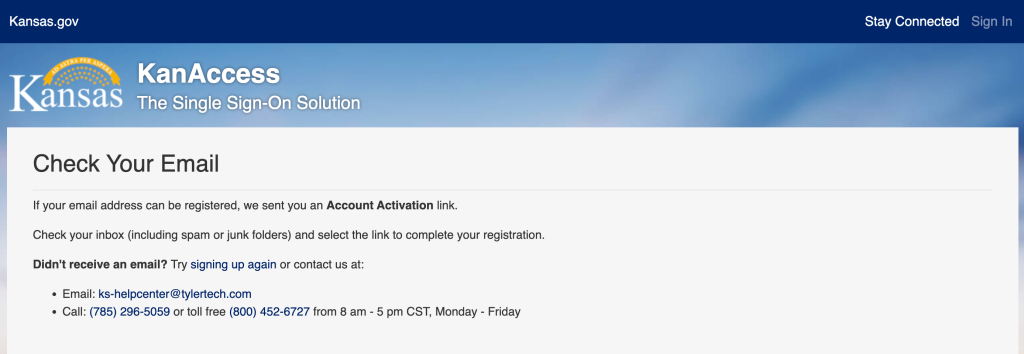
- Complete the Sign Up process by selecting the link in the email sent to the supplied email address.
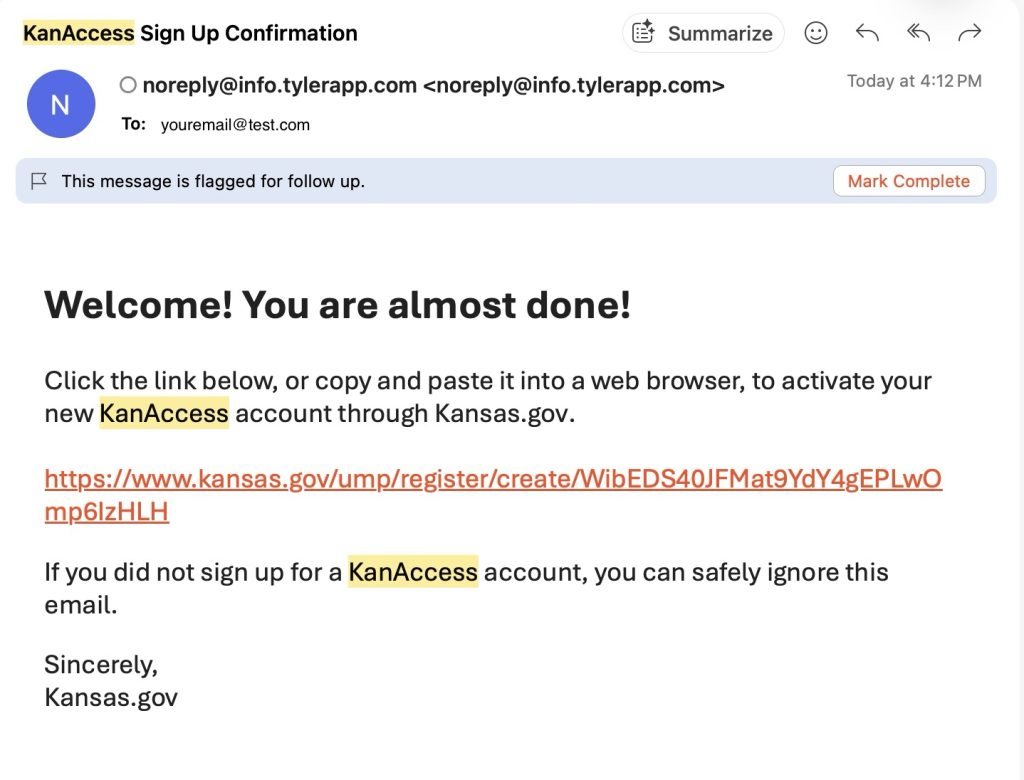
Screenshot
How Do I link my Subscriber Account with KanAccess?
You will need KanAccess credentials and a Kansas.gov Subscriber Account to complete the following:
- Sign into your KanAccess account
- Make sure you’re at the dashboard that displays, “Welcome Back, First and Last name” (Note: If you are not here click on this link, https://www.kansas.gov/user/login
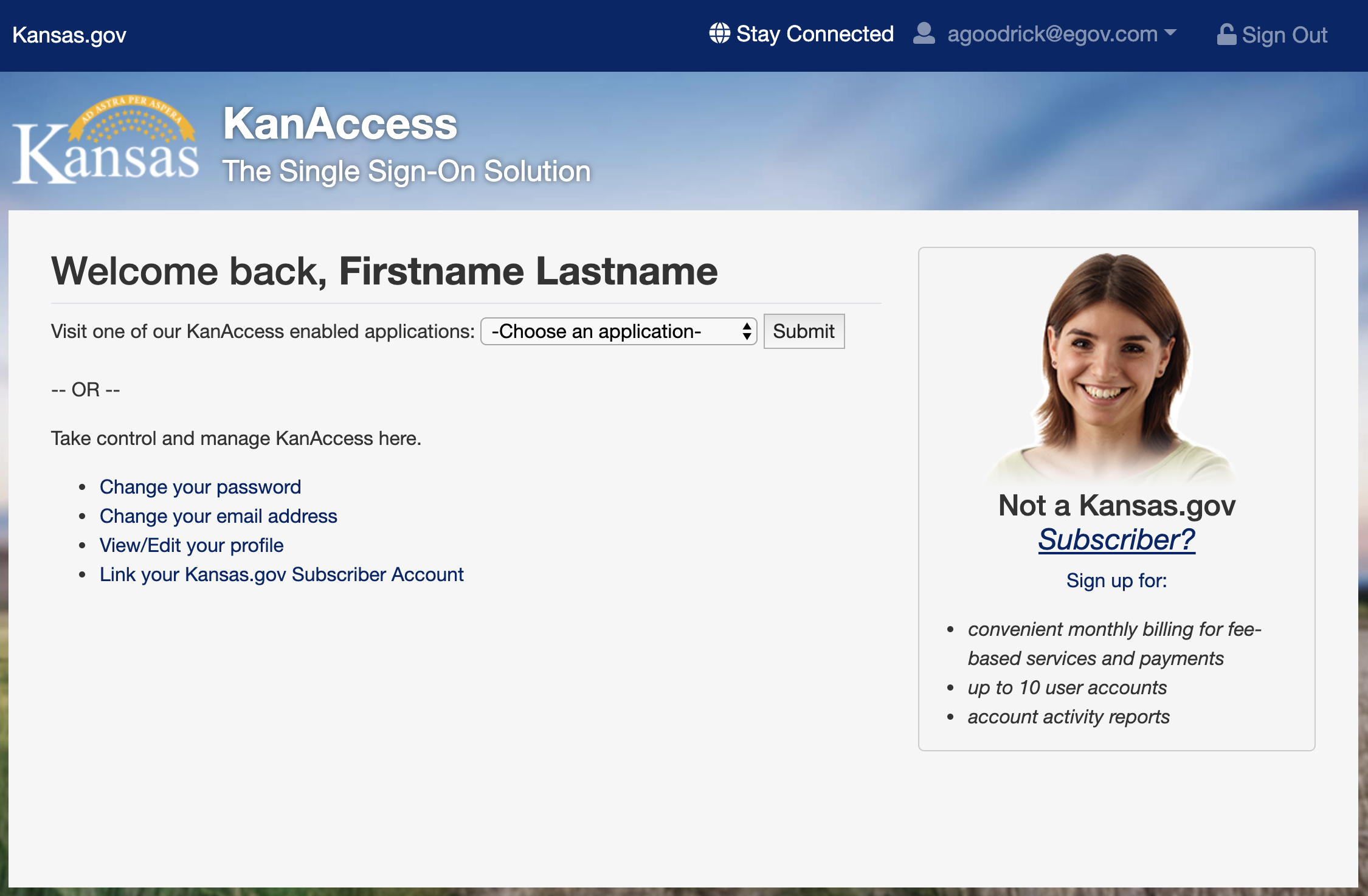
- Click on link, Link your subscriber login to this account
- Enter your Kansas.gov username and password.
- Once you see the message, You have successfully linked your accounts, you must sign out and close All browsers to complete the linking process.
SFTP Service
Resetting your Password.
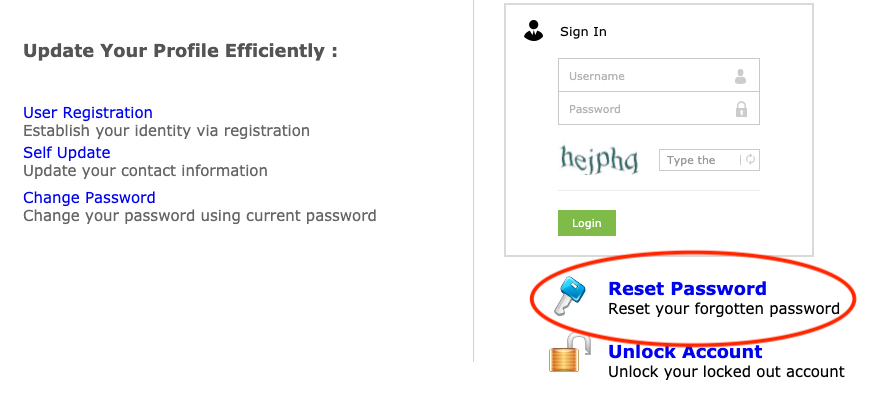
If your password needs to be reset click Reset Password
- Locate the Reset Password shown below and click. Once this has been done simply complete the following windows.
 If you do not have access to the email address on file for this account. You will need to send us a letter on company letterhead, asking for us to update the email address to this email for the SFTP account. You will need to include your SFTP username and the letter must be signed. You can fax the letter to 785-296-5563 or scan and email it to us at ks-helpcenter@tylertech.com. If you have any questions, please call at 800-452-6727 option 3.
Connecting to sftp.kansas.gov
- Open FileZilla, and click the “site manager” button in the top left of the window.

- Open FileZilla, and click the “site manager” button in the top left of the window.
- Once the site manager is open, click the “New Site” button.
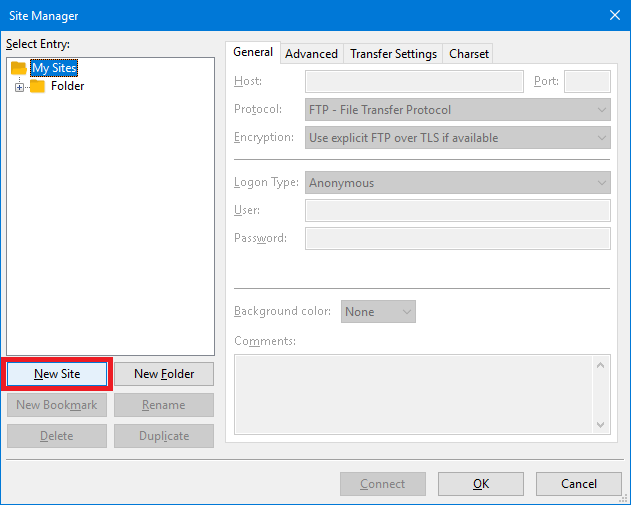
- Once the site manager is open, click the “New Site” button.
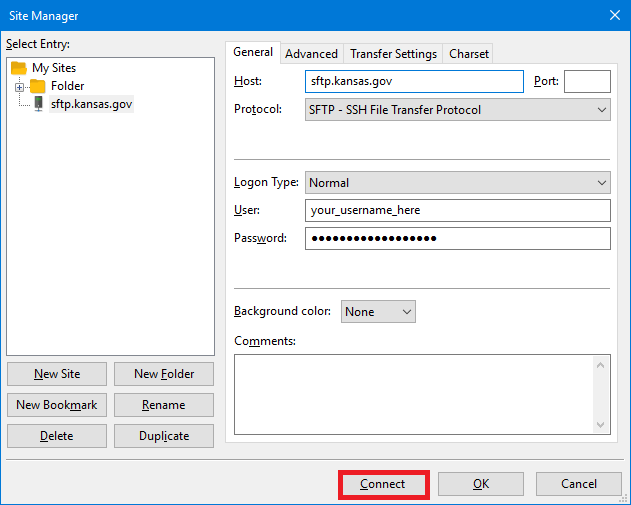
- Enter the following information into the “General” tab.
Host: sftp.kansas.gov
Port: Leave blank, or enter “22”
Protocol: SFTP – SSH File Transfer Protocol
Logon Type: Normal
User: Enter your username.
Password: Enter your password.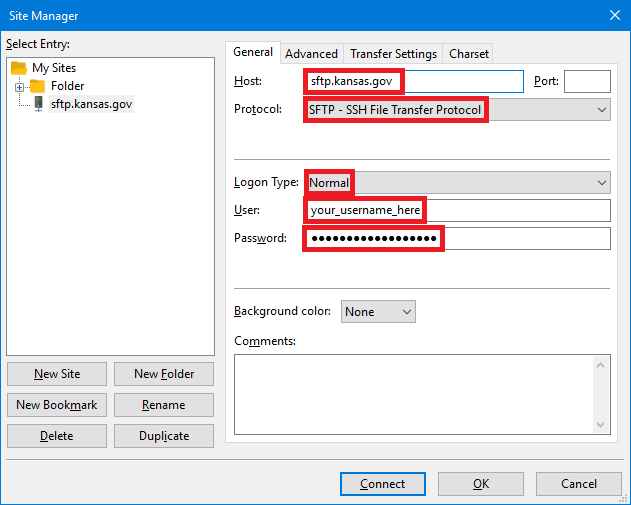
- Enter the following information into the “General” tab.
- Once you have entered the connection information, click the “Connect” button.
Kansas.gov officially supports browsers that are used by over 5% of the visitors to our site in the previous quarter. At this point, we support Internet Explorer 11, and the most current versions of Chrome, Safari, Firefox, and Microsoft Edge.

Managing History, Cache, and Cookies
You can view and delete your browsing history in any of the following browsers: Internet Explorer, Google Chrome, Safari, and Firefox.
You can additionally manage cookies in any of the following browsers: Internet Explorer, Google Chrome, Safari, and Firefox.
Text/Font Size
You can make the text (and layout) larger with ctrl +. You can make the text (and layout) smaller with ctrl -. And you can reset to 100% (default/normal size) with ctrl 0. Mac Users should use the Command (⌘) key rather than ctrl in each of those cases.